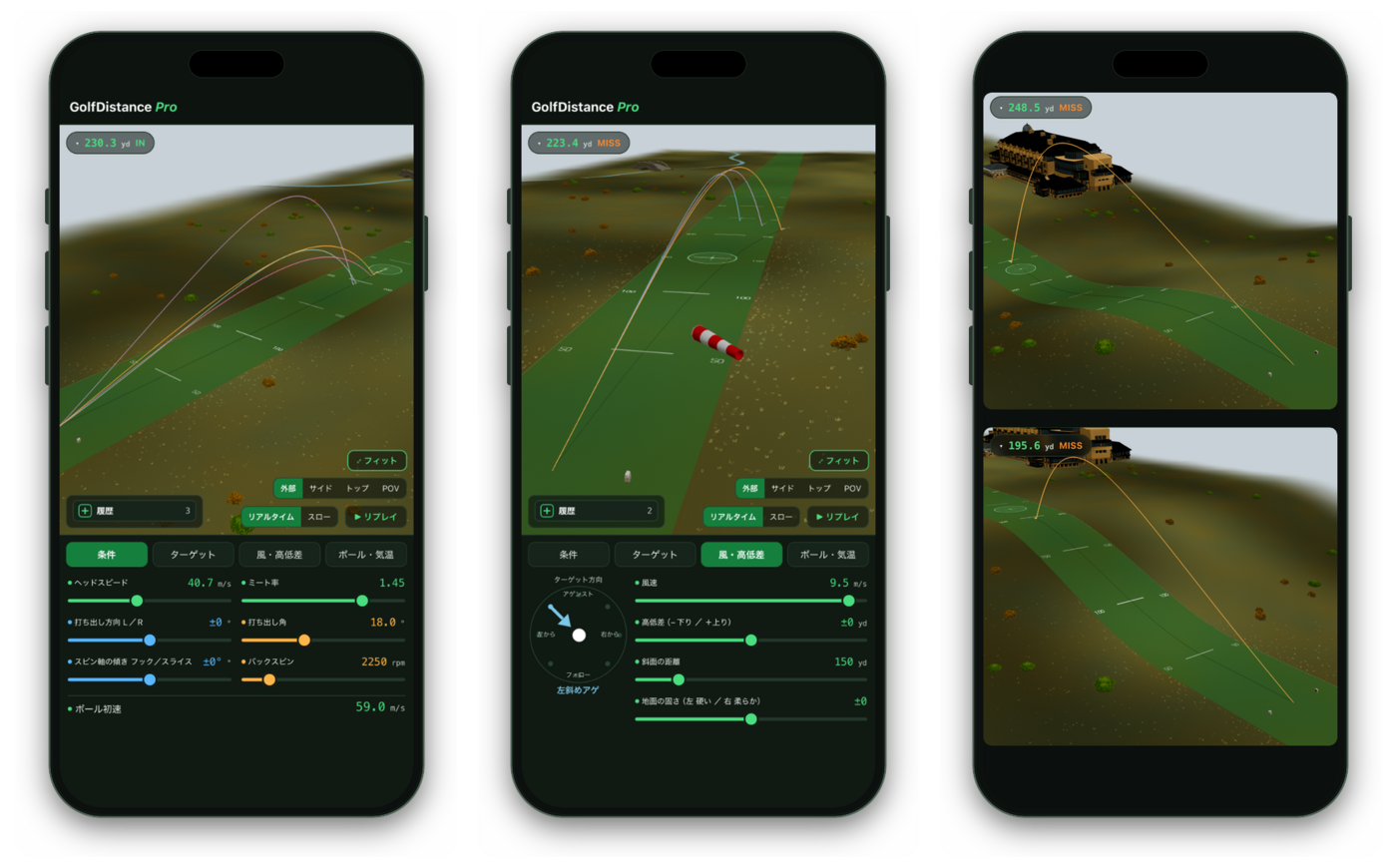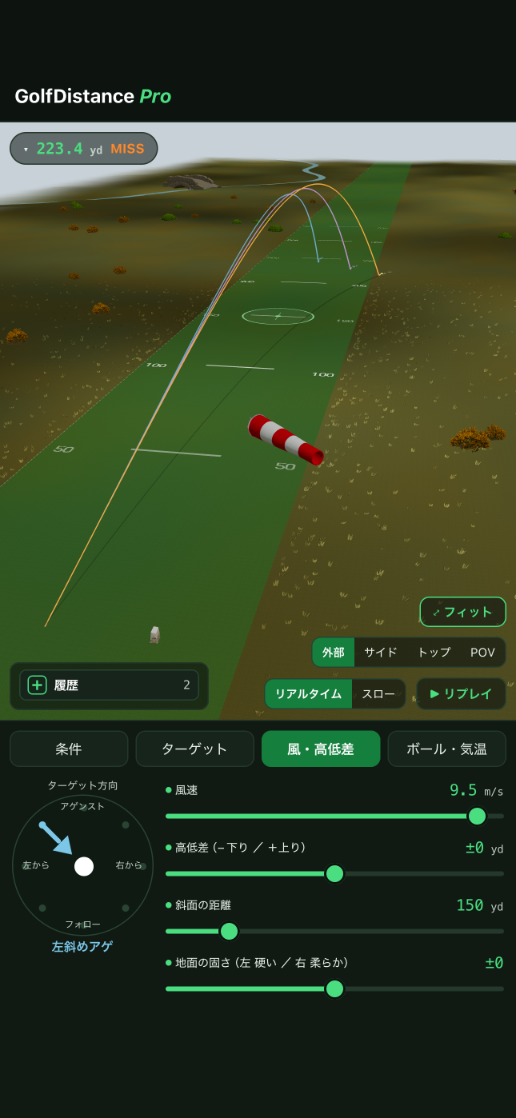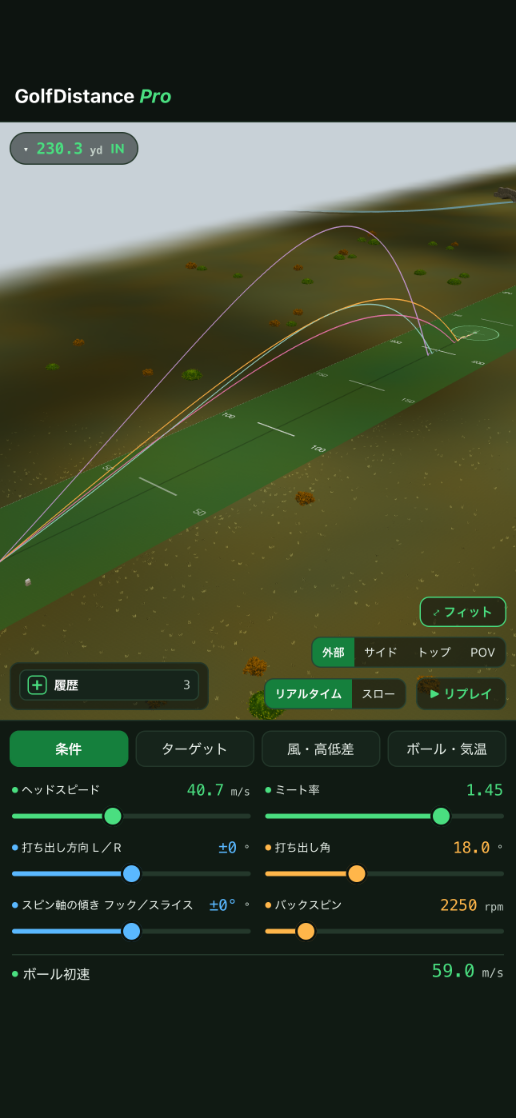
Ball speed (swing speed × smash factor) sets your distance ceiling. But even at the same ball speed, the combination of launch angle and backspin can swing your carry and roll dramatically. This app lets you explore, in 3D, the maximum distance your ball speed can deliver.

Works on iPhone & iPad / No internet required
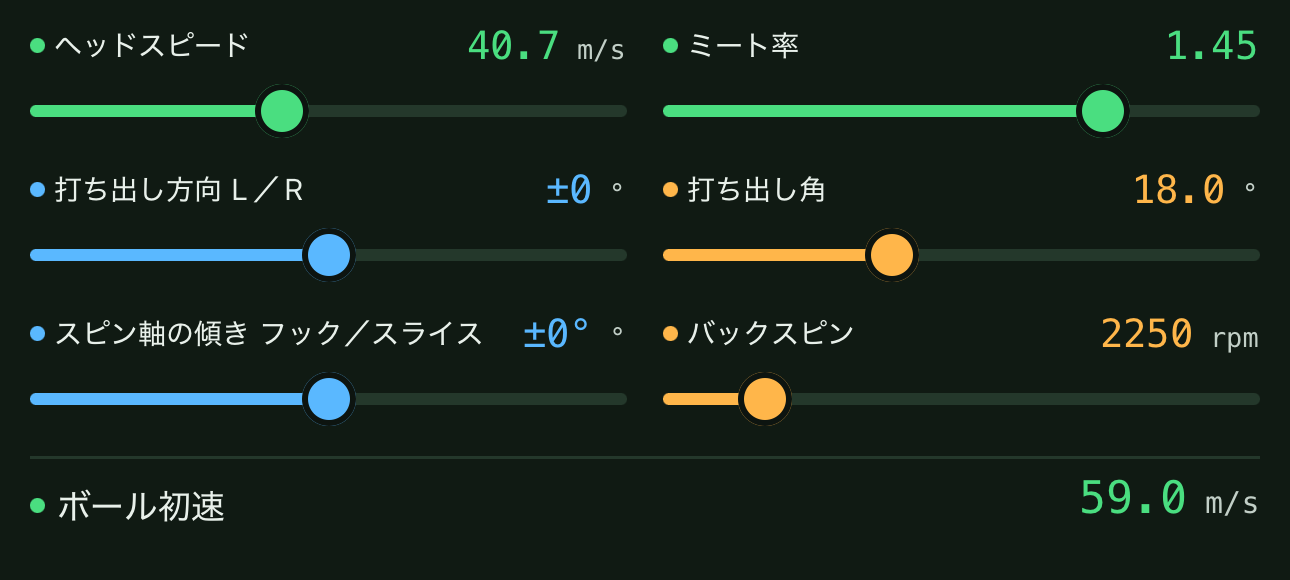
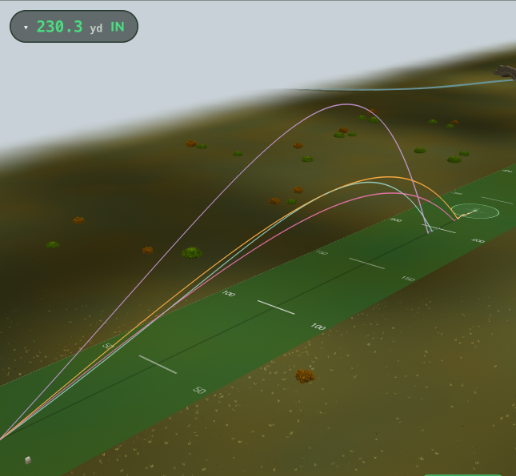
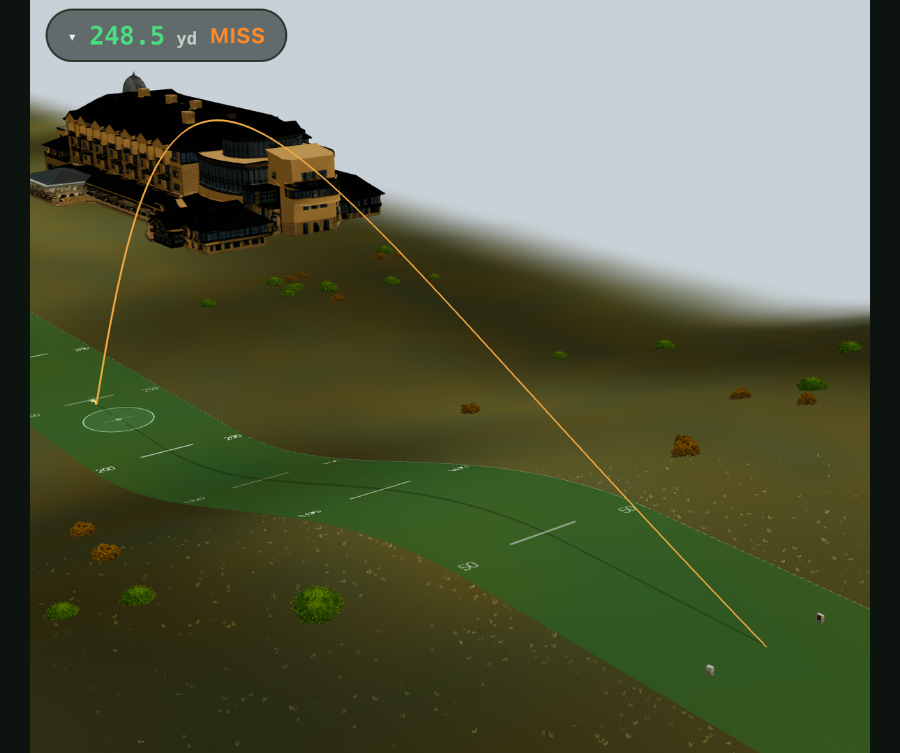
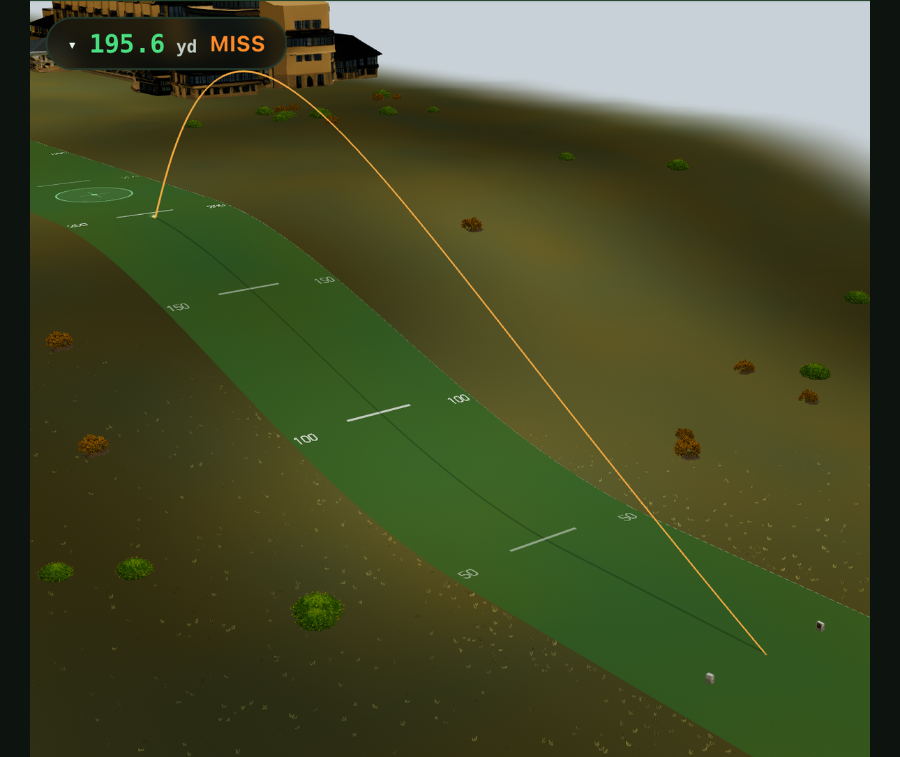
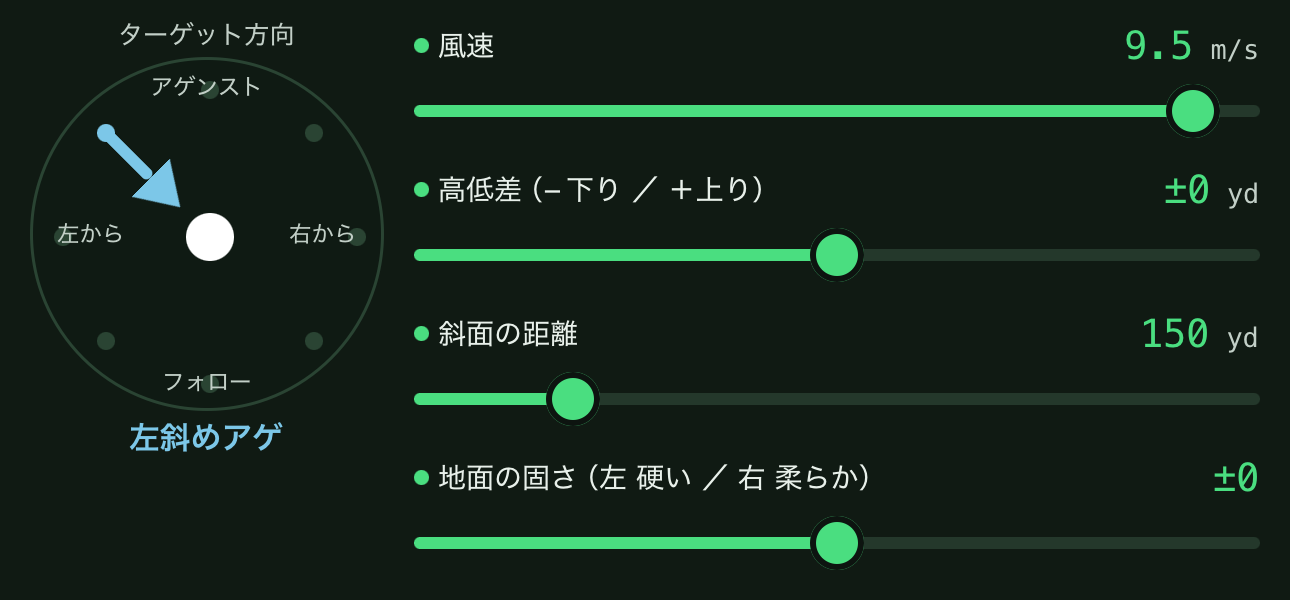
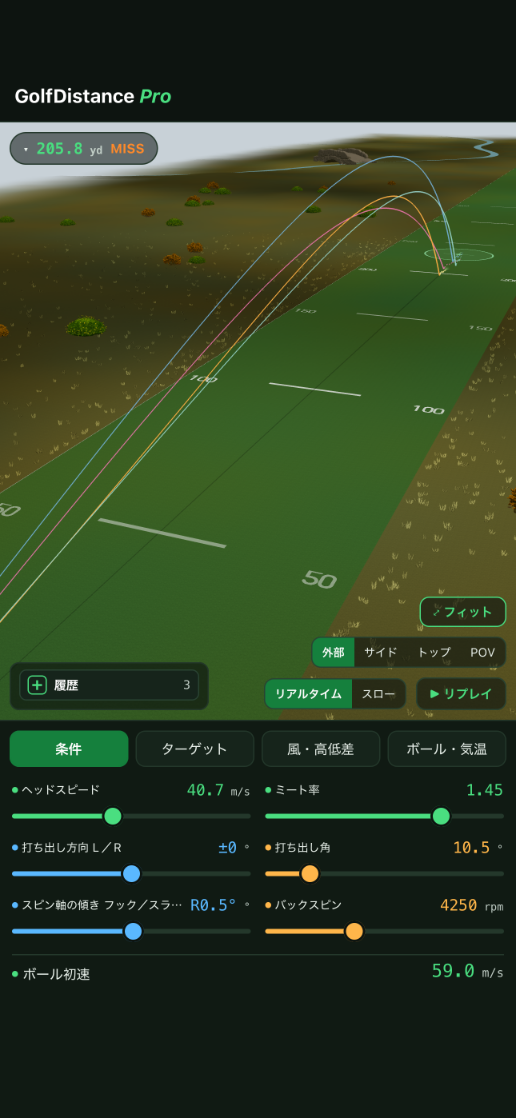
Left: 230.3 yd from 40.7 m/s head speed, 1.45 smash factor, 18.0° launch and 2,250 rpm backspin. Centre: the same shot with a 9.5 m/s wind added. Right: elevation changes everything — 248.5 yd downhill, 195.6 yd uphill. (App screens are in Japanese.)
Driver frustrations
There's more room to gain distance than just swinging faster. Launch angle, backspin, and reading elevation. This app lets you dial in all three visually.
Launch optimization
Even at the same ball speed, the wrong combination of launch angle and spin leaves distance on the table. The optimal combination changes with ball speed, so the fastest way to find yours is to plug in your own numbers and experiment.
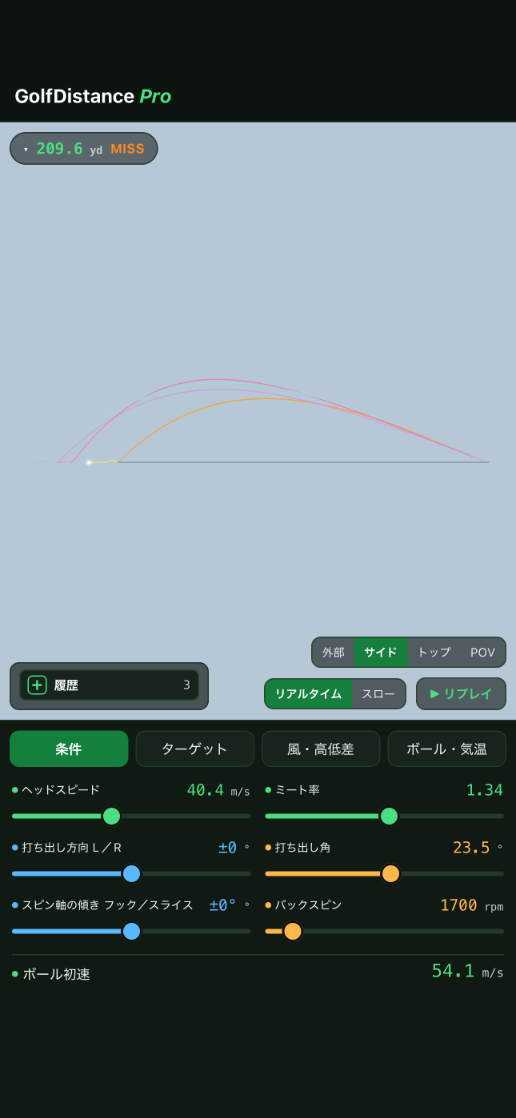
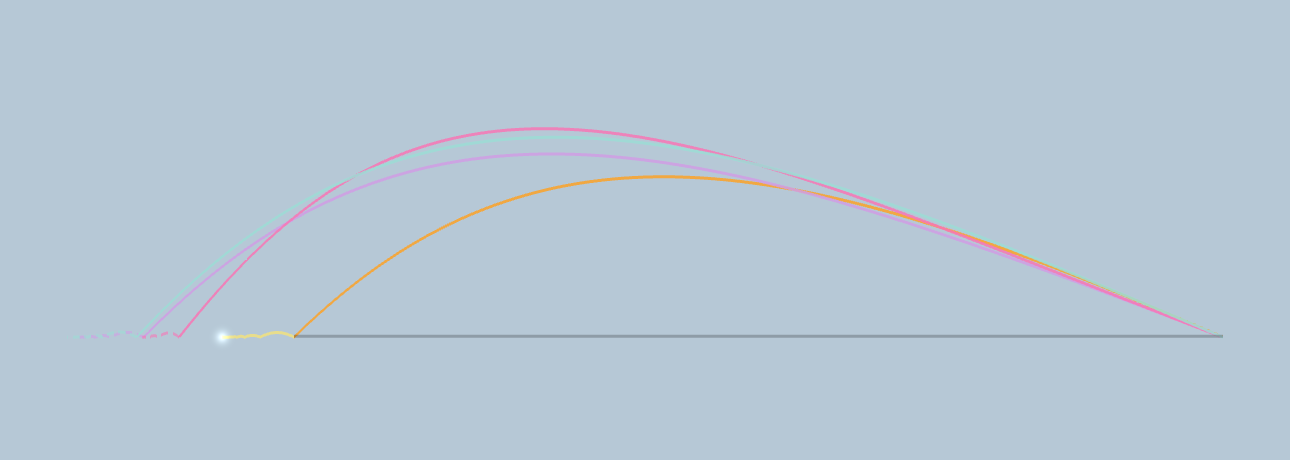
Switch to side view to compare the arc of shots with different launch angles and spin rates. A ball that climbs high and drops short versus one that launches low and carries far — even at the same swing speed, the shapes can look completely different.
Peak height and descent angle are also displayed, so you can tell whether a shot is simply flying too high or genuinely ballooning.

Set backspin directly with a slider. See how much extra roll you gain by dropping to around 2,000 rpm. Or how much a shot balloons and falls short above 4,000 rpm. The 3D trajectory redraws instantly every time you move the slider.
Launch angle uses the same slider system, so you can fine-tune questions like, "What happens if I add 1° of launch and cut 300 rpm of spin?"

Shots with different conditions stay on screen as up to four color-coded trajectories. With carry, roll, and total distance shown separately, you can directly compare a high, stopping ball against a low, running one to see which actually goes farther for you.

Elevation
Elevation isn't just about how many yards you're climbing. How much distance that slope covers changes how the ball stops and rolls.


Same launch conditions, only the terrain swapped. A difference of about 53 yards. Land on a downslope and the ball runs; land on an upslope and it stops dead.
Beyond a simple "+10 yd uphill" figure, you can specify how many yards that slope extends. It's modeled as a natural incline rather than a cliff edge, so a ball landing on an uphill slope stops there, while one landing downhill keeps rolling.
That hole where you always come up short on the uphill approach, or the downhill hole where you can never decide how much club to take off. Recreate the exact conditions beforehand, and you'll decide faster on the day.

Once you've dialed in your distance to the green, the next step is reading the line to the cup. Try our free Putter 3D simulator, which shows break from slope, green speed, and grain in 3D.
Factors that affect distance
Change it by just one degree and both carry and descent shift. Move the slider to find the exact angle that maximizes distance for your swing speed.
Too much and the ball balloons and falls short; too little and it drops out of the sky. Set it in rpm and compare total distance, roll included.
Set not just how much you're climbing or dropping, but how long the slope runs. The incline where the ball lands determines how far it keeps rolling.
Ball speed is calculated automatically. Compare, for example, how many extra yards you'd gain by improving your smash factor from 1.40 to 1.45.
Spin-axis tilt reproduces hooks and slices. See exactly how many yards your natural shot shape drifts right or left, giving you a real target line to aim at.
Air density is calculated from temperature, pressure, and humidity. It's the same reason the ball flies shorter on cold days and farther at altitude — higher humidity makes air lighter, adding a touch more distance.
Screens
Rotate with a finger to view from the side or straight overhead. Check the descent angle and how far the ball rolls from there.
Height, curve, and roll after landing — rotate with a finger to check any angle you like.
Differences in launch angle and spin show up directly in the shape of the arc. Ballooning shots are obvious at a glance.
Just rotate the compass to set headwind, tailwind, or crosswind. Air density is recalculated from temperature, pressure, and humidity, so that shorter winter carry feels exactly right.
Adjust angle and spin, then hit one more ball. No need to memorize numbers — just move the slider and see the difference.
About the app
| Supported devices | iPhone & iPad (supports both portrait and landscape) |
|---|---|
| Display language | Japanese / English (switch with one tap in the app) |
| Input parameters | Swing speed, smash factor, launch angle, backspin, launch direction, spin-axis tilt (hook/slice) |
| Configurable conditions | Wind speed & direction, temperature, pressure, humidity, elevation change and slope length, lie (fairway/rough/bunker), ground firmness, ball type |
| Displayed results | Carry, roll, total distance, peak height, hang time, lateral deviation, ball speed |
| Internet connection | Not required. Works at driving ranges or courses with no signal |
One degree of angle. 200 rpm of spin. See exactly how far a single change takes the ball. Test as many shots as you want, right in your hand.
Also try our free Driver / FW calculator, Middle Iron calculator, and Putter 3D simulator.